The Squarespace SEO Checklist That Finally Caught Up to AI Search
QUICK ANSWER Squarespace SEO in 2026 still runs on the fundamentals: real keyword research, optimized titles and URLs, and image files that don't quietly sabotage your page speed. What has changed is what happens after that. AI Overviews, ChatGPT, and Perplexity now read a page much the way Google's crawler always has, which means structured data, direct answers, and genuine expertise on the page carry as much weight as a wellwritten title tag. This checklist covers both layers: the on-page mechanics that still work exactly as advertised, and the newer layer most Squarespace guides still skip entirely.
I wrote the first version of this checklist a few years ago, back when “optimizing a page” meant getting the title tag right and calling it a day. Most of that advice still holds. None of it is sufficient anymore. Search has quietly split into two systems that both need to trust you before they'll recommend you: the familiar blue links, and the AI-generated answer sitting above them. This is the updated version, rebuilt around both. In addition to my own work, and as Head of SEO for SEOSpace, I definitely know a thing or two about getting Squarespace sites to rank well!

1. Keyword Research, Done With Intent Instead of Guesswork
Keyword research hasn't gotten less important. It has gotten less forgiving of laziness.
Take this very phrase, “squarespace seo checklist.” It gets roughly 90 searches a month in the US, which sounds unremarkable until you look at the competition score: 0.06, on a scale where 1.0 is a bloodbath.
Low volume, low competition, high intent.
That is not a phrase people type by accident. Everyone searching it is actively trying to fix their website.
A page targeting this phrase doesn’t need to outrank a media company. It needs to be more useful than the five other checklists sitting on page one.
Here is the actual lesson: chase intent, not just volume.
A phrase with 90 searches and someone ready to act beats a phrase with 900 searches and someone just browsing.
Here is how to find those phrases for your own site:
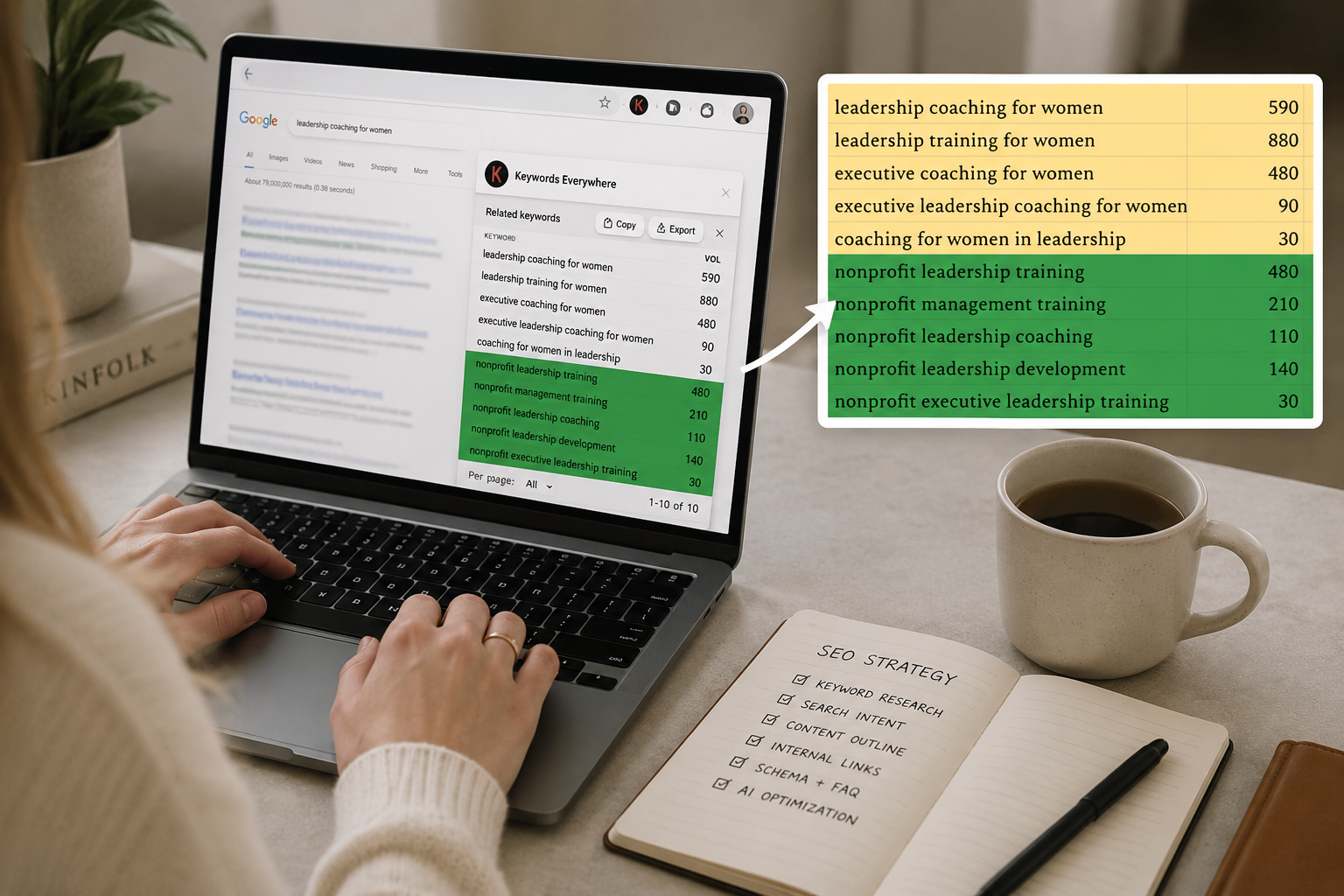
Start with your core offering and location, if local. Type it into Google and note what autocomplete suggests. Scroll to the bottom of the results for the “related searches” section, and again after clicking into a result, for “people also ask.” Each layer surfaces phrases real people are already typing, which is a meaningfully different exercise than guessing what sounds good. An even better way to go about this is to use a plugin like Keywords Everywhere.
Then assign each keyword, or group of similar keywords, to exactly one page. This part gets skipped constantly, and it is the part that quietly sinks otherwise solid sites. Two pages competing for the same phrase do not double your chances of ranking. They split the same authority in half, and Google has to guess which one you actually meant, so it often ranks neither particularly well. One keyword, one page, defended on purpose
2. On-Page Fundamentals That Still Decide Everything
None of this is new. All of it is still non-negotiable.
SEO title 50 to 60 characters, built around one target keyword, unique across your entire site. Set it under each page's SEO settings, or under Marketing, then SEO Appearance, for the homepage specifically.
Meta description 150 to 160 characters, written like an honest pitch rather than a slogan. This is what a human reads before clicking, so keyword inclusion matters here, but also something compelling to encourage click-through.
URL slug short, keyword-based, and evergreen. Notice this page's own URL doesn't have a year baked into it, even though the content and title do. A URL you have to rename every January is a URL quietly bleeding the backlinks and authority it built under the old one.
Headers One H1 per page containing the target keyword, followed by a logical H2 and H3 structure that a reader, or an AI system parsing the page for an answer, could skim and understand without reading a single paragraph.
Body content The keyword should appear early, naturally, and without contorting a sentence to fit it in. You also want to implement authority and trust signals throughout your on-page text content (i.e. credentials and testimonials). Be sure your pillar pages are robust/comprehensive; thin content won’t rank.
3. Images and the Technical Basics
Resize images to 2500px on the long side for full-width banners, 1500px for everything else, and compress to less than 500KB before you ever upload them. Starting heavy just means starting slow, and page speed is a ranking factor. No one has the time or patience to linger longer than 3 seconds for your page to load (not romantic, but just the facts of Life on Earth in 2026).
Rename the file itself before uploading, using a keyword for that specific page. Then, once it's live, fill in the actual alt text field, not just the caption field. They are not the same thing, and mixing them up is one of the most common mistakes I see on Squarespace sites: alt text is read by screen readers and search engines and should describe the image plainly; captions are visible to human visitors and can be turned off if you only want them working in the background.
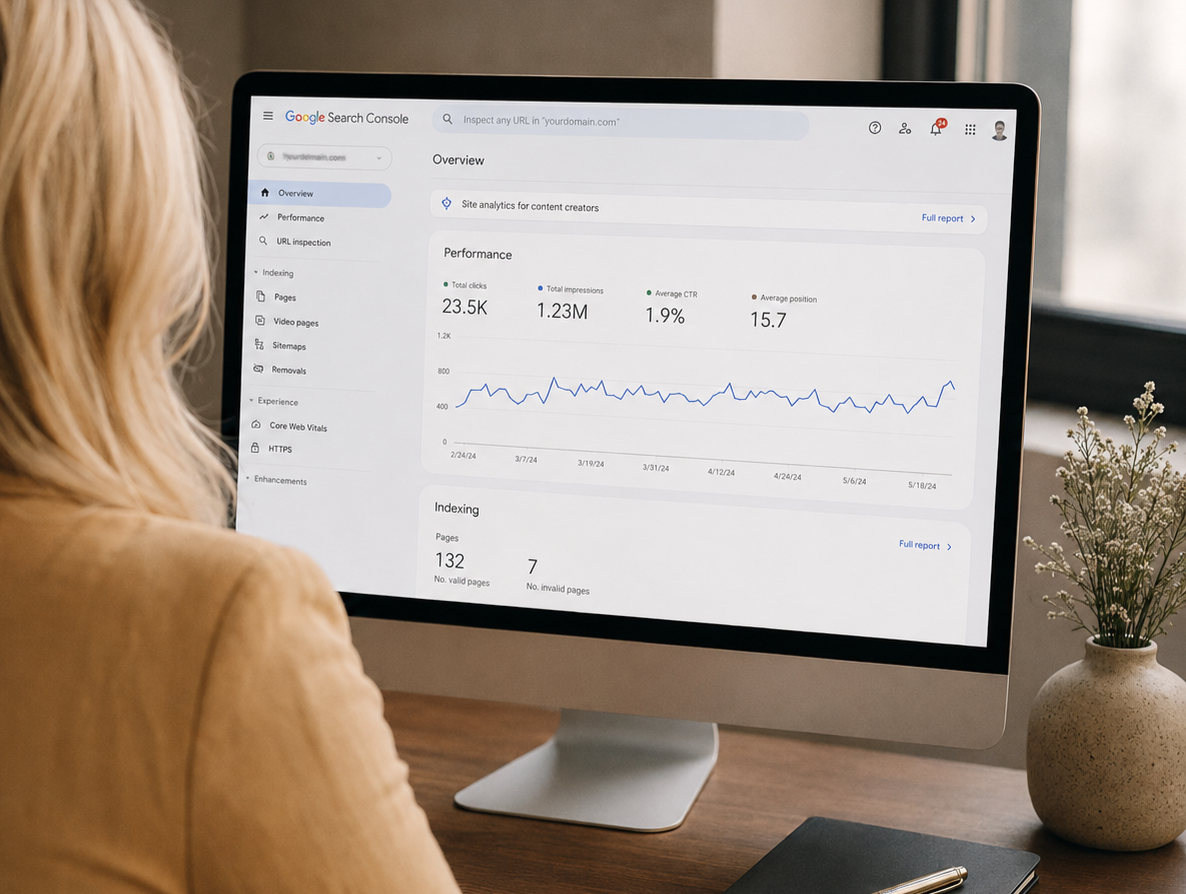
Submit your sitemap.xml in Google Search Console, and get in the habit of requesting indexing manually any time you publish something worth Google seeing sooner rather than whenever it gets around to it. Having your Squarespace site connected to Search Console will also allow you to view the keywords people are using to reach your site when you visit Squarespace’s built-in Analytics. Here’s how to connect and verify your site with Search Console:
4. Structured Data and Schema Markup on Squarespace
This is the section most Squarespace SEO checklists, including my old one, leave out entirely, and it has quietly become one of the highest-leverage things you can do.
Schema markup is a small block of code that tells search engines and AI systems exactly what something is, instead of making them infer it.
Without it, Google has to guess that the block of text under “Common Questions” is actually a question and answer. With it, you're simply telling it, and a system that doesn't have to guess is a system more willing to trust and cite you.
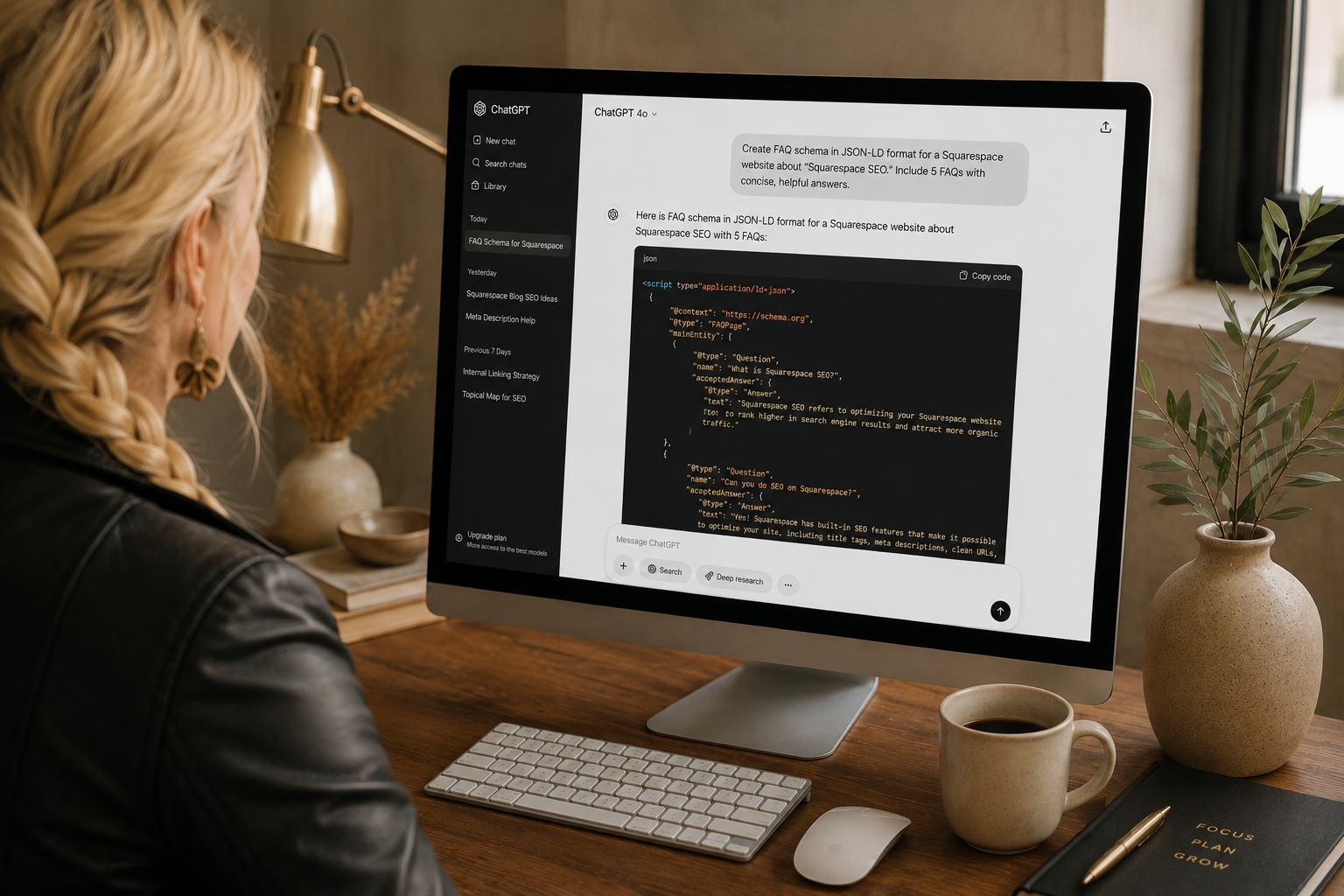
On Squarespace, the most practical way to add schema is through a Code Block dropped directly into the page, formatted as JSON-LD inside a script tag.
FAQ schema is the easiest win for most small business sites: wrap your existing FAQ section in it, and you have a real shot at both a rich result in Google and a citation in an AI-generated answer, using content you likely already have written. Pro tip: make sure your FAQs are page-specific, based around the keywords being targeted on that particular page.
Article schema helps blog posts specifically, and LocalBusiness schema matters enormously if you serve a specific city or region. You don't need a developer for this. You need the JSON-LD generated correctly for your specific content, and pasted into the right block.
5. Optimizing for AI Overviews and AI Search
Here's the part that would have sounded like science fiction in the last version of this checklist: your page is now being read by more than search engine crawlers.
AI Overviews, ChatGPT, Perplexity, and Claude are all parsing pages to generate direct answers, and they tend to pull from sources that are structured, specific, and easy to lift a clean sentence from.
Practically, that means:
Put a short, direct answer near the top of important pages, before the full explanation. Somewhere an AI system, or an impatient human, could grab three sentences and have the actual answer without reading the rest.
Answer real questions directly, in an FAQ section, using the actual phrasing people search. This page does exactly that, a few paragraphs down. And don’t forget to add the FAQ schema, mentioned above.
Show your work. Real credentials, real client outcomes, a visible “last updated” date. These are the same signals humans use to decide whether to trust a source, and they translate directly into what is called E-E-A-T: experience, expertise, authoritativeness, and trust. I want to push back gently on treating this as some separate discipline from SEO, because I don't think it is one.
There's a lot of overlap in what actually shows up in an AI-generated answer and what ranks on page one of Google, because both systems are ultimately measuring the same thing: whether or not you can be trusted. Traditional ranking and AI visibility aren't two different games. They're the same game, being watched by two different judges.
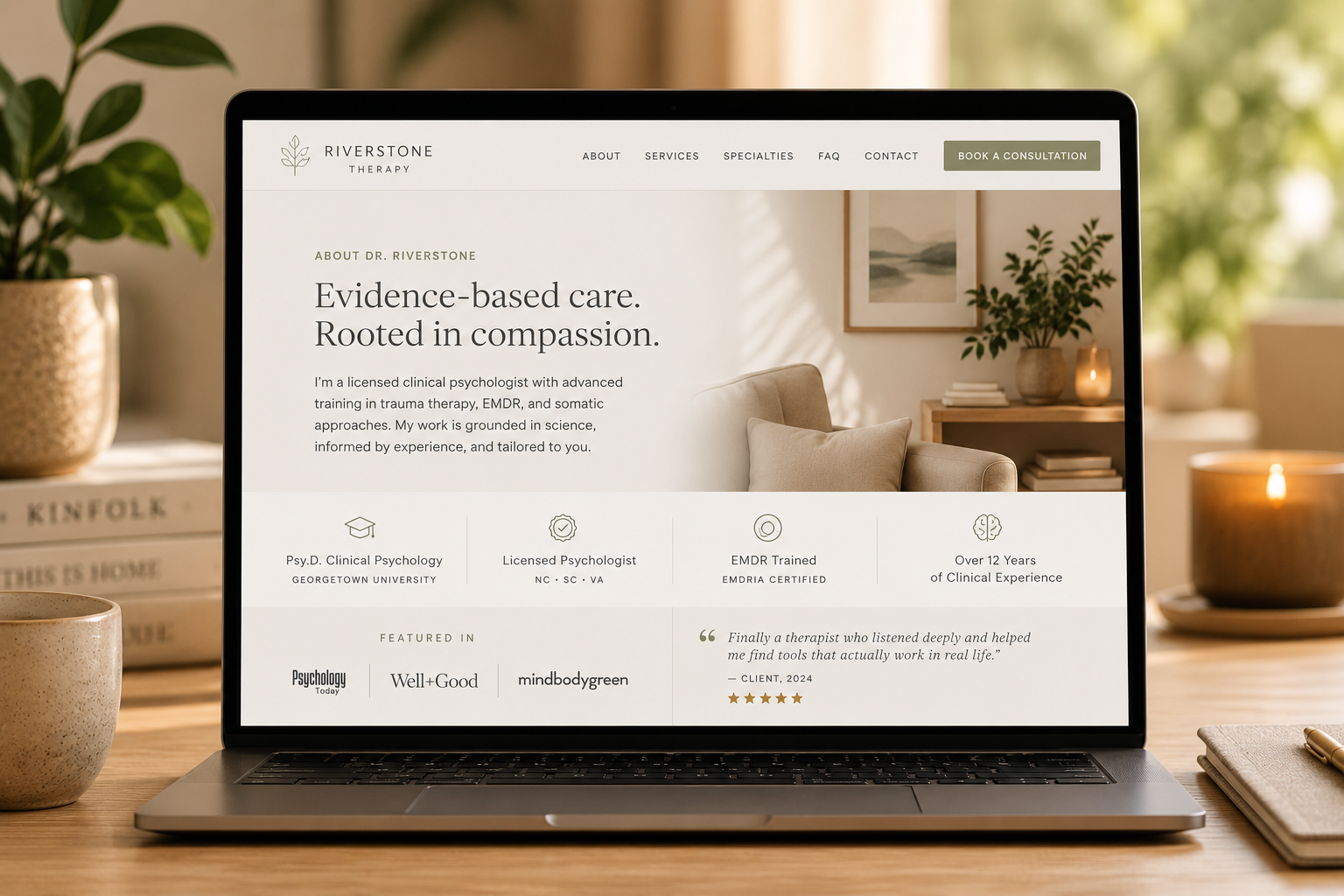
Example of a website building trust right away under the hero section.
6. Building Authority Off the Page
Everything above happens on your site. None of it works in isolation.
Link internally, from older, already-indexed posts into anything you refresh. Search engines follow links to figure out what you consider important, and an orphaned page with no internal links pointing to it is a page you've effectively asked Google to ignore.
Earn backlinks the honest way: contribute somewhere real, get listed in a directory, show up in a roundup of resources people already trust.
A genuinely useful checklist like this one tends to get referenced and linked to on its own merit, which is a far more durable strategy than chasing links that won't survive the next algorithm update.
Keep it current. Update the date, revisit the content annually at minimum, and treat “still accurate” as a feature you have to actively maintain rather than something that happens automatically. Stale content is one of the more polite ways a page tells search engines to stop sending people to it.
FAQs
-
Reasonably good, not great. Squarespace handles the basics well: clean code, automatic sitemaps, and mobile-responsive templates. What it won't do for you is keyword research, content strategy, or structured data. The platform removes technical obstacles; it doesn't replace an SEO strategy.
-
Yes, it's called SEOSpace, and it's built specifically for the platform rather than adapted from WordPress. It scans your site for SEO issues, suggests fixes for titles and meta descriptions, and tracks your keyword rankings right from a Chrome extension inside the Squarespace editor. I lead the SEO team there, so it's a tool I know from the inside out.
-
Through a Code Block placed directly on the page, containing your schema formatted as JSON-LD inside a script tag. FAQPage and Article schema are the most accessible starting points for most small business or blog content.
-
Neither wins outright. WordPress offers more granular control, at the cost of needing plugins and maintenance to get there. Squarespace trades some of that control for a cleaner starting point and far less technical upkeep. Most small business sites will hit their actual ranking ceiling long before the platform becomes the limiting factor. No platform can do SEO for you, because it doesn’t know the keywords you’re trying to rank for.
-
Verify your site in Google Search Console, then submit sitemap.xml as the sitemap URL. Squarespace generates this automatically; you're simply telling Google where to find it.
-
At minimum once a year, and any time Google or a major AI platform visibly changes how it presents results. SEO isn't a task you finish. It's like a fire you have to keep adding sticks to.
Where This Leaves You
None of this is complicated. Most of it is just easy to skip when no one is checking your work.
If you've made it through this whole checklist and still aren't seeing movement, that usually means one of two things: the technical foundation is solid but the content itself isn't answering the right question, or there's a gap between what you think your site says and what it's actually saying to Google, and to the AI systems now reading right alongside it.
It might also be possible that the keywords you’ve chosen to target aren’t legitimate, meaning they don’t have real search volume.
Either way, that's a diagnosis worth getting from someone who can actually see the site, not guess at it from a checklist.
If you'd rather hand this off entirely, here's where to start: a one-time technical audit -or- an ongoing monthly partnership.
Book a free call with me to discuss in more depth.

Written by: Tiffany Davidson, Squarespace Web Designer & SEO Expert
For the past decade-plus I've built nothing but Squarespace sites, the kind that actually hold up once the launch excitement wears off. I treat SEO/AIO and design as the same job instead of two separate ones, which is why client sites I build tend to land on page 1 across a genuinely wide mix of industries. If your site looks the part but nobody can find it, that's the exact gap I close. Get in touch with me here.

Written ByTiffany Davidson
Squarespace Web Designer + SEO Expert
For the past decade-plus I've built nothing but Squarespace sites, the kind that actually hold up once the launch excitement wears off. I treat SEO/AIO and design as the same job instead of two separate ones, which is why client sites I build tend to land on page 1 across a genuinely wide mix of industries. If your site looks the part but nobody can find it, that's the exact gap I close.