
How to Hide Header & Navigation for One Page Only (Squarespace)
Sign up for a free Squarespace trial here! #afflink
A header and navigation are important parts of any website. It helps give visitors to your site their bearings, usually featuring the logo or name of the site and a list of pages they can browse.
It also creates a brand identity right away that you can be identified with.
So, while I don’t recommend removing your header and navigation, there are times when it is the best option, both functionally and aesthetically.
Times when I’ve needed to remove the header and navigation of my site, for example, are within online courses, which I host on my Squarespace website using password-protected blogs.
Fortunately, it’s really simple to accomplish. Let me show you how!
Hide the header and navigation for one page only on your Squarespace website
Version 7.0 instructions:
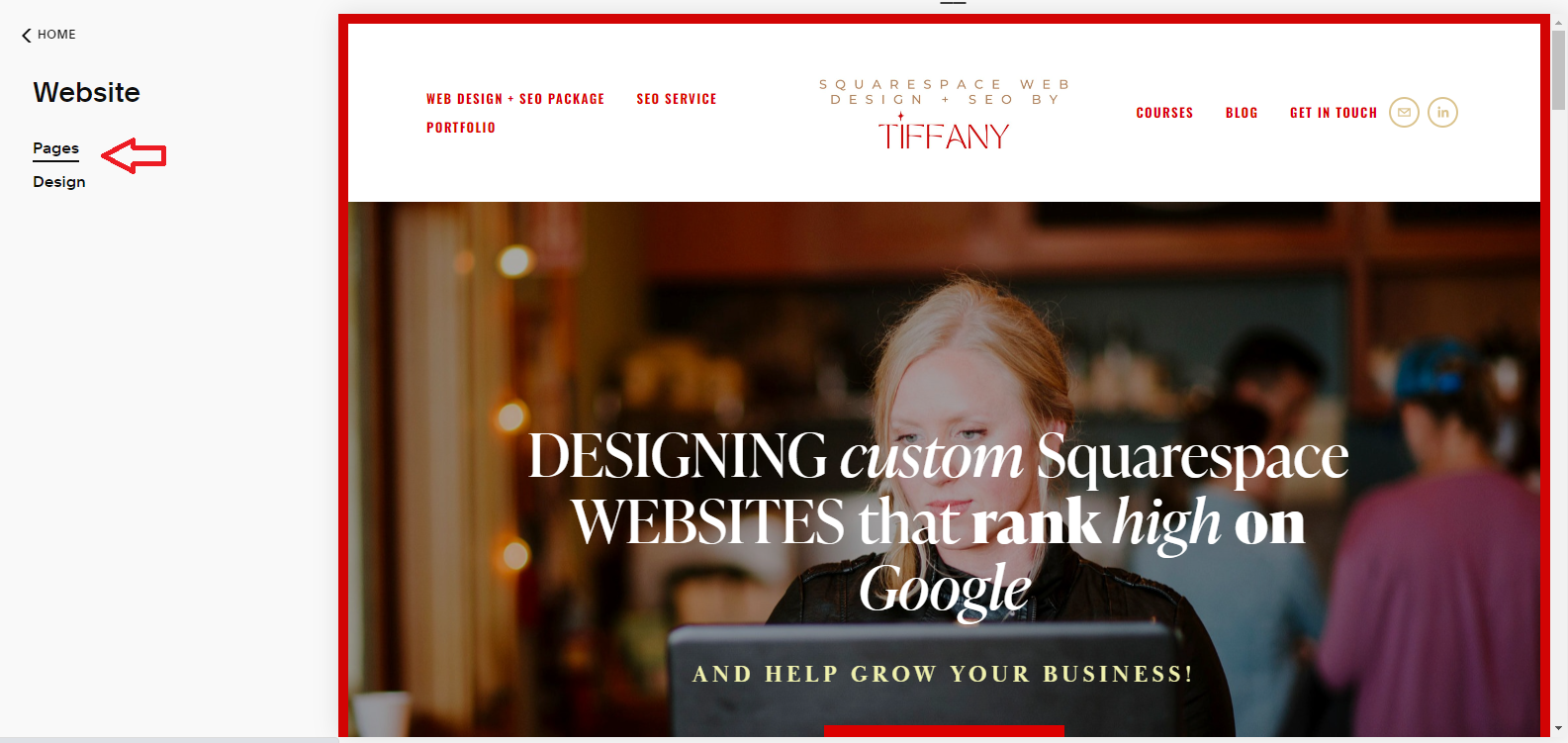
To accomplish this, from from your main menu click Website > Pages:
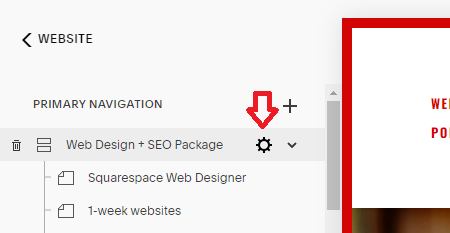
then select the gear icon beside the page (blog, etc.) you want to hide the header and navigation on:
Now you’ll navigate to Page Header Code Injection via the Advanced tab and paste the following code:
<style>.Header, .Footer, .Mobile-bar{display:none !important; }</style>
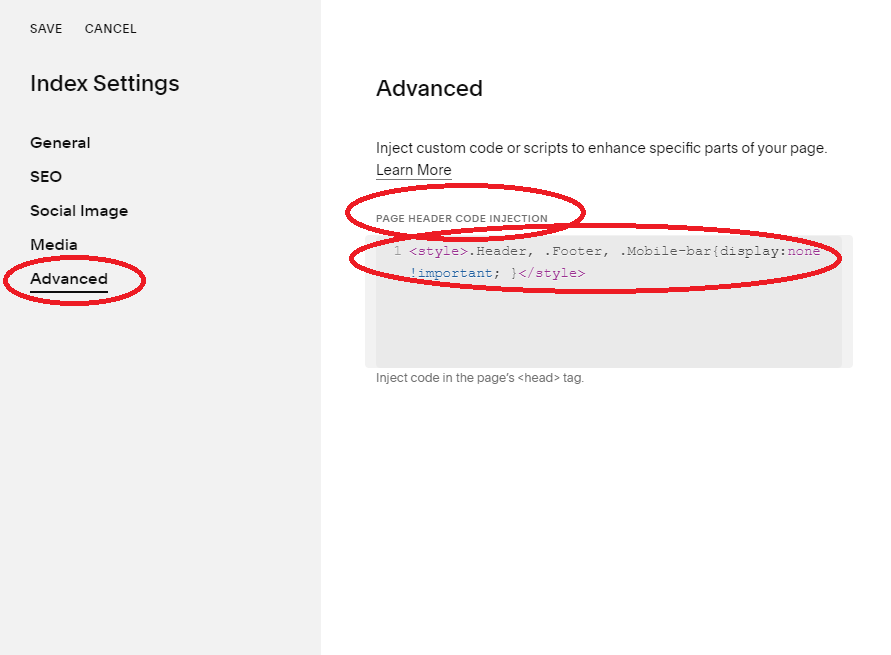
Click SAVE and the header and navigation should now be gone from that page! You might have to refresh.
if you have version 7.1, use the following code instead:
<style> header#header, footer.sections { display: none !important; }</style>*credit to Dick Lloyd for sending me the updated version 7.1 code
Before:
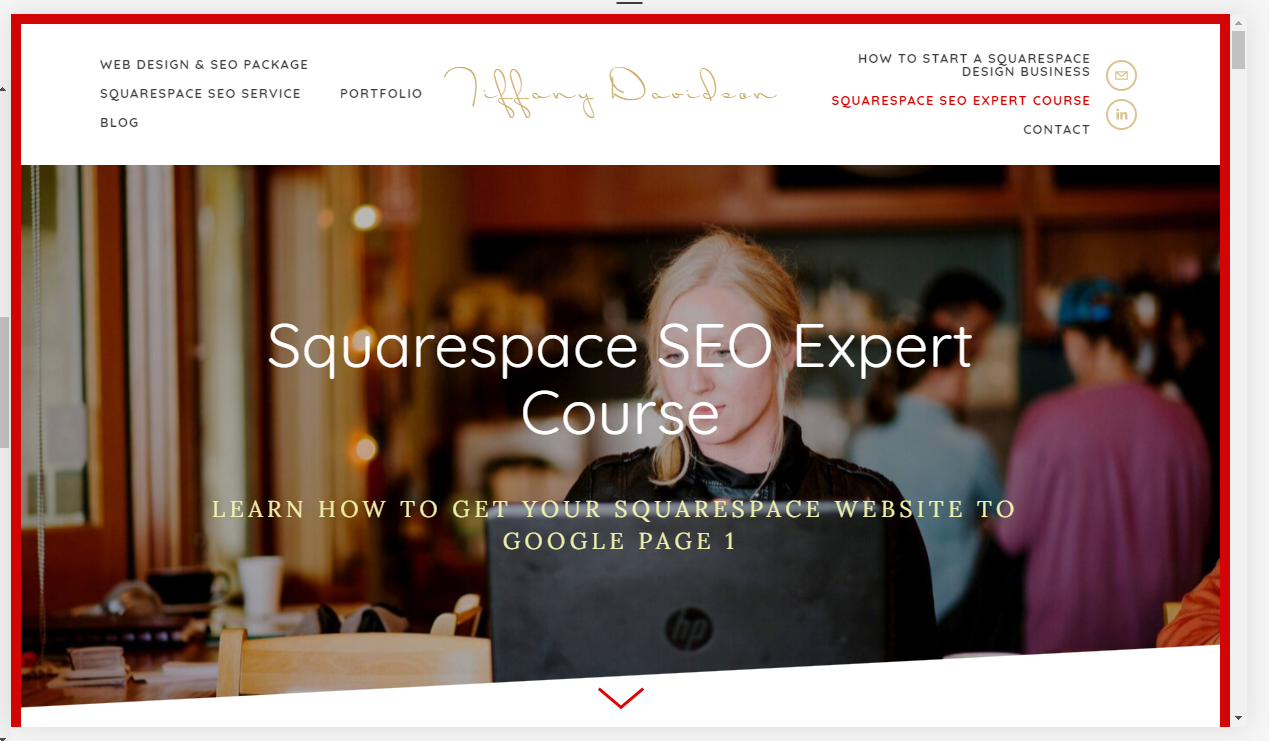
After:
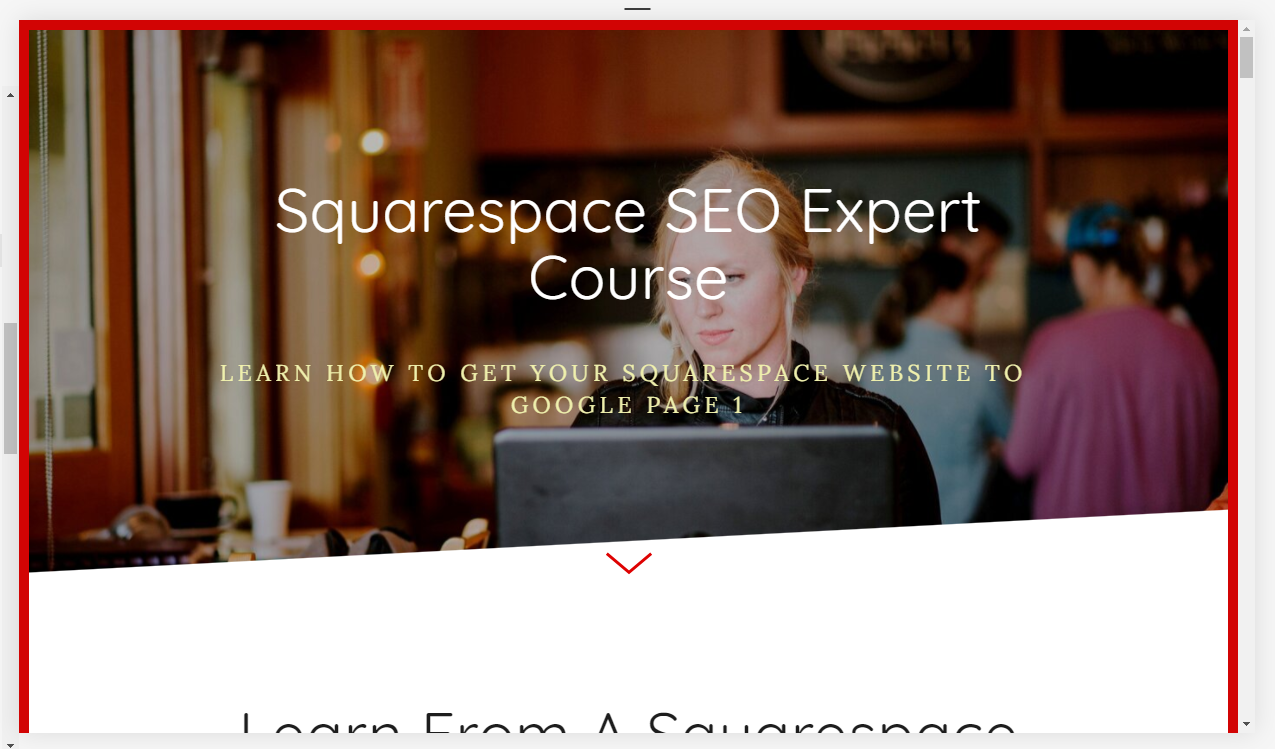
This should work on mobile, too, FYI.
So that’s it! I told you it was easy.
If you have questions or need assistance, please feel free to email me directly at tiffany@tiffany-davidson.com.
Thanks for stopping by!
x
Tiffany

















Welcome!

Hey there! I’m Tiffany ~ a Squarespace Web Designer & SEO Expert. I design beautiful & professional websites that rank well on Google, & I teach courses on becoming a Squarespace SEO Expert, Monetizing Squarespace, and Starting Your Own Squarespace Design Business!
Feel free to contact me at: tiffany@tiffany-davidson.com
Sign up for a free Squarespace trial here!
my top ranking squarespace seo course:

Learn how to get your Squarespace website (or any Squarespace website) to Google Page 1 using organic SEO techniques!
As a Squarespace Designer & SEO Expert, I know the methodology for truly getting Squarespace websites to rank on Google Page 1, and I’m going to teach it to you!
This course is a self-guided lifetime-access course, so you can go at your own preferred pace and keep it as a resource to return to time and time again.
Please note: This course was created using Squarespace version 7.0. The same principles will still apply with version 7.1, but the overall user interface will look slightly different. Due to the inherent nature of digital products, refunds are strictly prohibited once purchase has been made. Please also note the course cost is $267 in USD currency.
More Squarespace courses:

Can you monetize a Squarespace website? Yes, you can. And I’ll teach you how.
Did you know your Squarespace website could be making money for you, even while you sleep, work your day job, or travel?
In this course, which includes over 3 hours of video instruction, I’ll teach you how to use SEO blogging to drive traffic to your site, and then how to monetize those visits.
Please note: This course was created using Squarespace version 7.0. The same principles will still apply with version 7.1, but the overall user interface will look slightly different. Due to the inherent nature of digital products, refunds are strictly prohibited once purchase has been made. Please also note the course cost is in USD currency.
Learn how to turn your basic design knowledge into a functional and successful business!
In this course, I outline the procedures I use to run my Squarespace design business which continues to grow in revenue every single year and has given me wonderful freedom to not only work from home, but to be able to craft my own schedule. Becoming a Squarespace designer changed my life, and I think during these new times we find ourselves in, where so many businesses are having to transition to the online marketplace in order to stay afloat, becoming a self-employed web designer is a really smart move.
Please note:
This is not a design course. Rather, this course assumes you already possess at least a basic understanding of Squarespace design and need guidance on converting that knowledge into a business.
Due to the inherent nature of digital products, refunds are strictly prohibited once purchase has been made.
The course cost is in USD currency