
Squarespace Image Hover Effect: Black & White To Color
Sign up for a free Squarespace trial here! #afflink

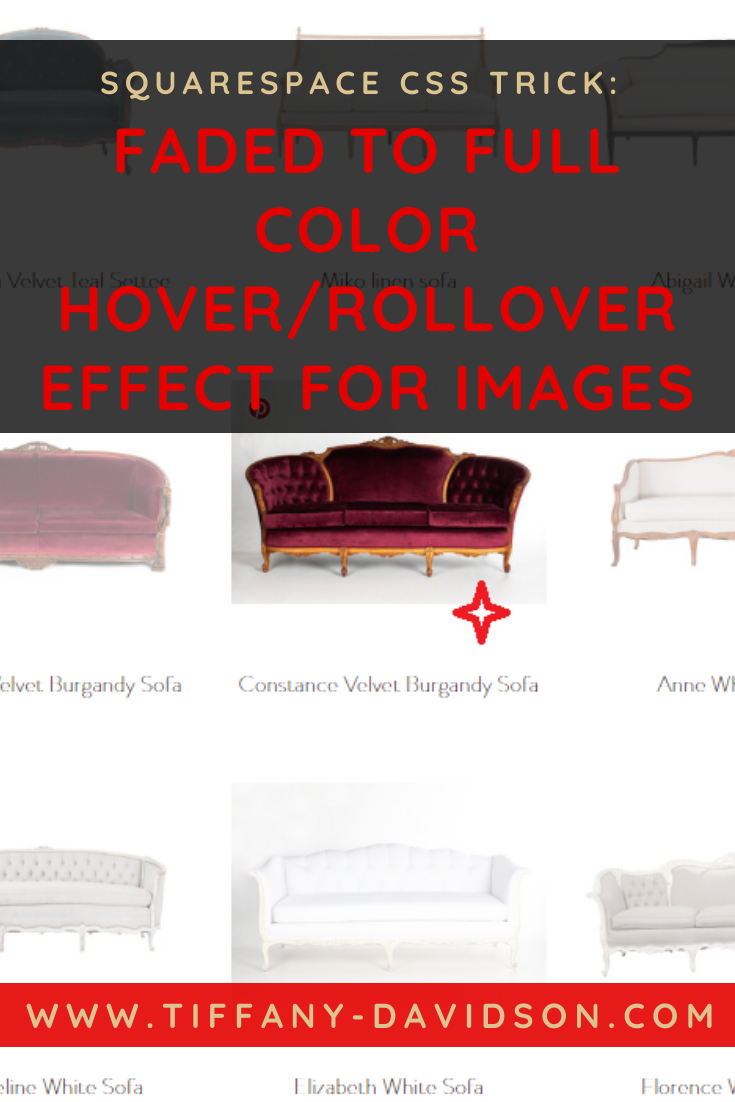
I love all that Snohetta does, and also their website. The clean Nordic minimal design, with just a dash of flair when the mouse glides over a greyscale image and it turns to color.
Are you looking to add some more interesting hover effects to your Squarespace site? In this post I’ll share some code snippets with you that will cause your images to show up as greyscale black and white, then once the mouse hovers over they’ll turn to color, and when the mouse leaves, back to black and white.
I have a wonderful mutually beneficial working relationship with Elise over at Websites By Elise and as she helped me sort out some custom CSS for galleries on one of my current projects, I asked if I could share the info on my blog to help the community, and she graciously obliged.
So here you go! I hope this is what you’re looking for.
Squarespace CSS image hover effects: change an image from black and white to color on mouse rollover

Logged into your Squarespace site, from the main menu navigate to Website > Pages > Website Tools > Custom CSS, then copy and paste from the list below depending on which type of image you want to target:
Custom CSS for grid gallery thumbnails:
.sqs-gallery-block-grid .slide img {
transition: .5s ease-in-out;
filter: grayscale(1);
}
.sqs-gallery-block-grid .slide img:hover {
filter: none;
}
Custom Css for summary grid thumbnails:
.summary-item img {
transition: .5s ease-in-out;
filter: grayscale(1);
}
.summary-item img:hover {
filter: none;
}
Custom CSS For blog post grid thumbnails:
.BlogList-item-image img {
transition: .5s ease-in-out;
filter: grayscale(1);
}
.BlogList-item-image img:hover {
filter: none;
}
Custom CSS For regular Image Blocks:
.image-block img {
transition: .5s ease-in-out;
filter: grayscale(1);
}
.image-block img:hover {
filter: none;
}
Did that work for you? Feel free to reach out to me directly at tiffany@tiffany-davidson.com if you have any questions.
Thanks for stopping by!
x
Tiffany














![How to Get [Good] Content for Your Website](https://images.squarespace-cdn.com/content/v1/5a7a523b90bccea7812ba94e/1621879284162-RHBP9435GDYET896Q3NE/how+to+get+content+for+your+website.png)


Welcome!

Hey there! I’m Tiffany ~ a Squarespace Web Designer & SEO Expert. I design beautiful & professional websites that rank well on Google, & I teach courses on becoming a Squarespace SEO Expert, Monetizing Squarespace, and Starting Your Own Squarespace Design Business!
Feel free to contact me at: tiffany@tiffany-davidson.com
Sign up for a free Squarespace trial here!
My top-ranked Squarespace seo course:

Learn how to get your Squarespace website (or any Squarespace website) to Google Page 1 using organic SEO techniques!
As a Squarespace Designer & SEO Expert, I know the methodology for truly getting Squarespace websites to rank on Google Page 1, and I’m going to teach it to you!
This course is a self-guided lifetime-access course, so you can go at your own preferred pace and keep it as a resource to return to time and time again.
Please note: This course was created using Squarespace version 7.0. The same principles will still apply with version 7.1, but the overall user interface will look slightly different. Due to the inherent nature of digital products, refunds are strictly prohibited once purchase has been made. Please also note the course cost is $267 in USD currency.
More Squarespace courses:

Can you monetize a Squarespace website? Yes, you can. And I’ll teach you how.
Did you know your Squarespace website could be making money for you, even while you sleep, work your day job, or travel?
In this course, which includes over 3 hours of video instruction, I’ll teach you how to use SEO blogging to drive traffic to your site, and then how to monetize those visits.
Please note: This course was created using Squarespace version 7.0. The same principles will still apply with version 7.1, but the overall user interface will look slightly different. Due to the inherent nature of digital products, refunds are strictly prohibited once purchase has been made. Please also note the course cost is in USD currency.
Learn how to turn your basic design knowledge into a functional and successful business!
In this course, I outline the procedures I use to run my Squarespace design business which continues to grow in revenue every single year and has given me wonderful freedom to not only work from home, but to be able to craft my own schedule. Becoming a Squarespace designer changed my life, and I think during these new times we find ourselves in, where so many businesses are having to transition to the online marketplace in order to stay afloat, becoming a self-employed web designer is a really smart move.
Please note:
This is not a design course. Rather, this course assumes you already possess at least a basic understanding of Squarespace design and need guidance on converting that knowledge into a business.
Due to the inherent nature of digital products, refunds are strictly prohibited once purchase has been made.
The course cost is in USD currency