
3.3 Keyword Planner Tool

Photo by Tiffany Davidson; Cape Flattery, Washington (the most northwest point in the contiguous US)
Google’s Keyword Planner is another useful tool for finding applicable keywords. While Keyword Planner was designed to assist with ad campaigns, it’s also helpful for SEO.
Any good SEO strategy involves a mixture of low, medium, and high competition keywords. Not only does Google’s Keyword Planner offer more keyword ideas, but you’ll be able to see the average amount of monthly searches for a keyword, as well as the competition for that particular keyword.
So let me introduce you to Keyword Planner, show you around a bit, and see if we can find some more keywords to add to our list!
Step 1 - click here to Go to Google Keyword Planner
This tool is free, but you do need to have a Google account to use it.
You should see a screen like this:
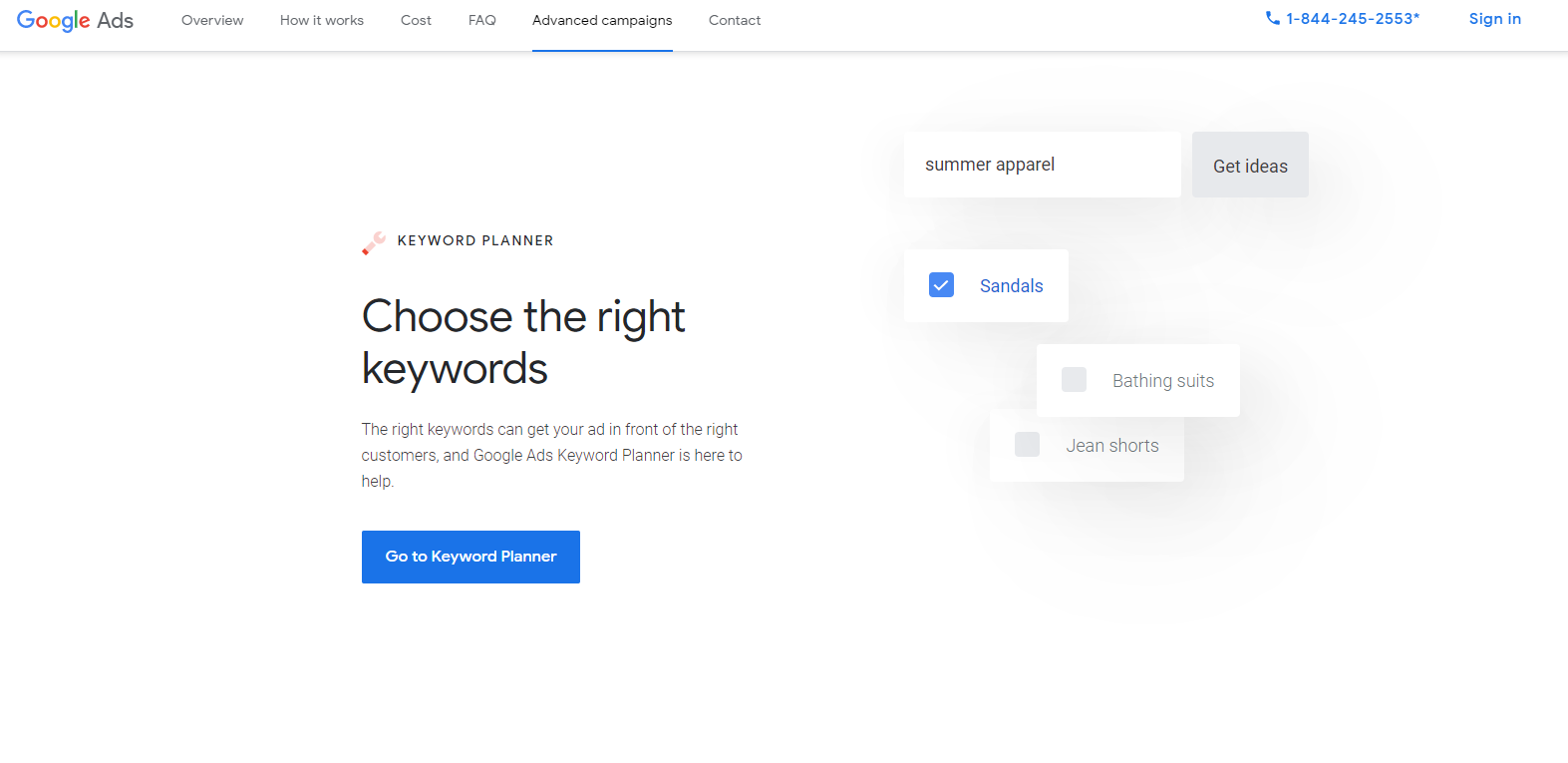
Click the button "Go To Keyword Planner.”
Step 2 - Discover New Keywords
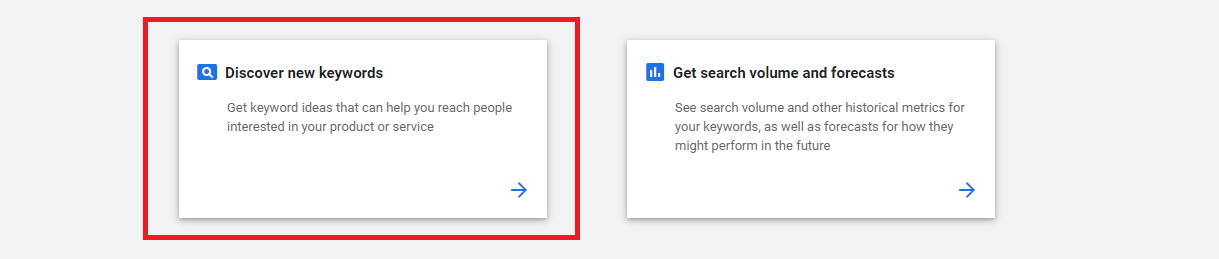
Now you’ll see a screen with two primary options: Discover new keywords & Get search volume and forecasts.
Click “Discover new keywords.”
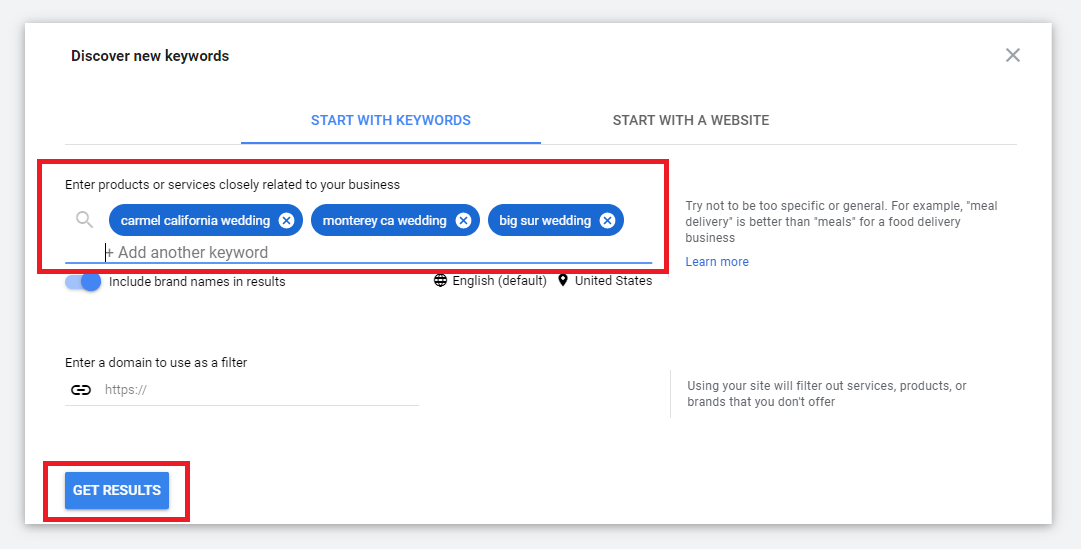
When using Keyword Planner, I enter more broad keywords. So instead of entering monterey ca wedding photographer or big sur wedding photography, I’ll enter searches like big sur wedding, monterey california wedding, and carmel california wedding. This will provide a greater range of results, and could give me more ideas for blog posts. We’ve already done such specific searching with Google’s suggested keywords, so I use Keyword Planner to help broaden my scope and hopefully trigger new ideas or paths of further keyword research.
Once you’ve entered some broad scope keywords, click Get Results.
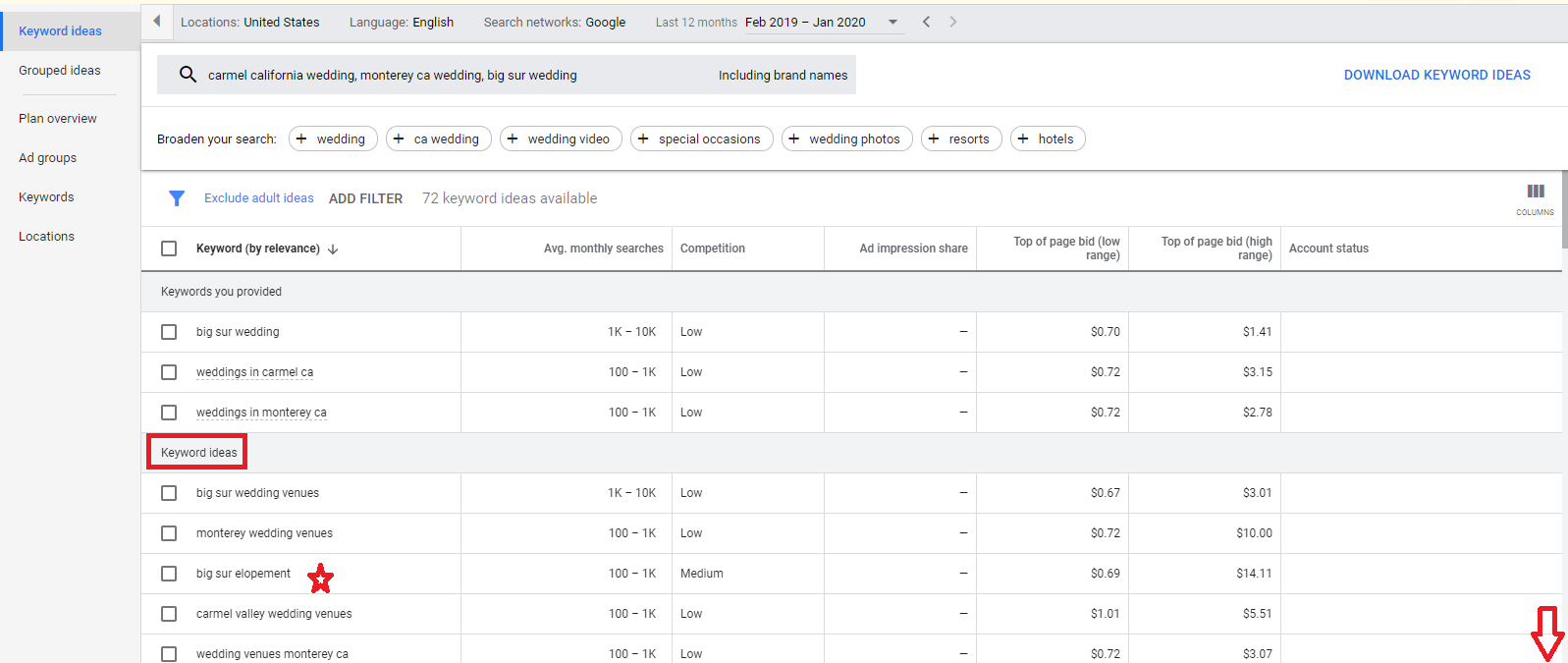
In the results, under Keyword Ideas, scroll and browse to see if any keywords could be added to your list or if any are jumping off points for further research.
Right away, I see big sur elopement which is a keyword term we haven’t yet investigated, so I would both add that to my keyword list and also go over to Google and run through the process of looking for suggested and related keywords using that specific term.
As I continue to scroll, I see a couple more ideas to add to my list for further research…
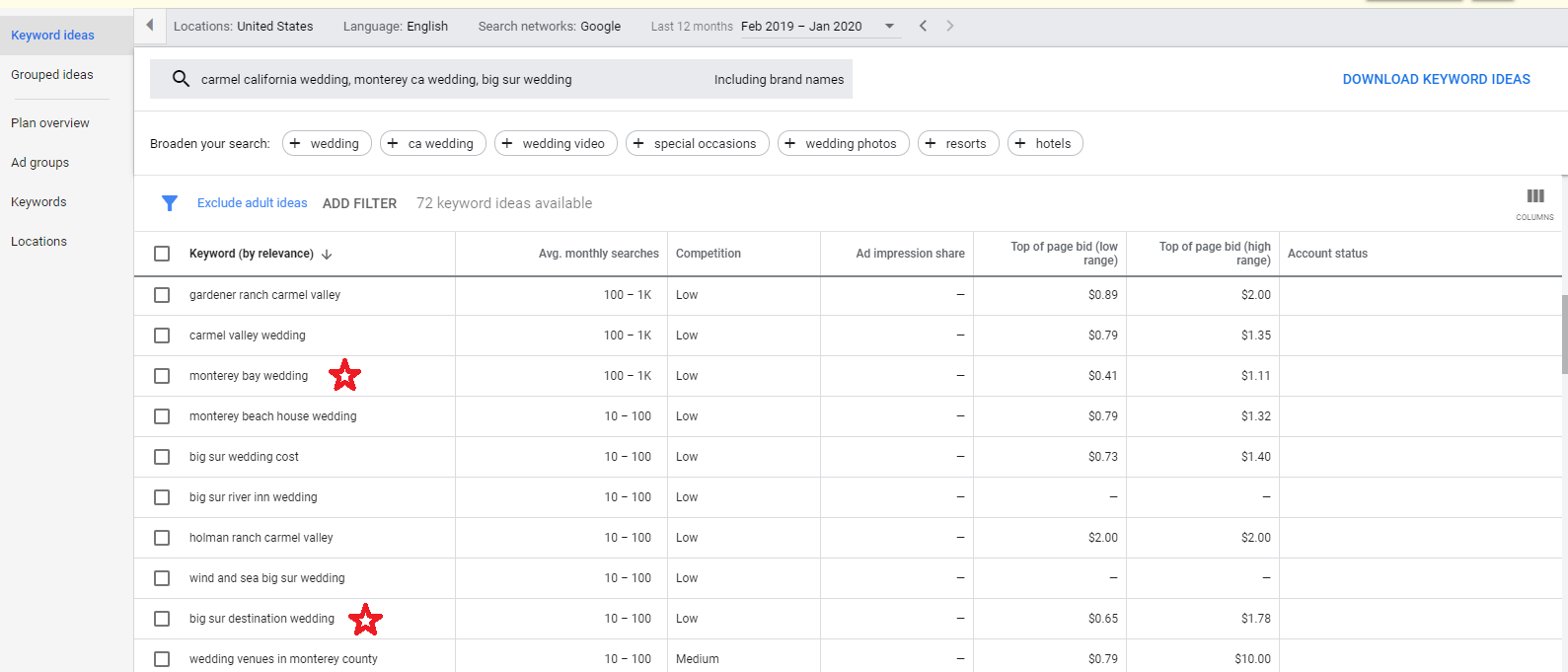
These are monterey bay wedding (previously we had never included bay in any of our selected keywords), and also big sur destination wedding. This idea of “destination weddings” offers new routes to explore in and of itself. For example, I might go search for california destination wedding using Google’s suggested keywords, related searches, and this Keyword Planner to see if I can unearth any new applicable keywords to add to my list.
Keyword Planner is also a great way to get blog post topic ideas. But I’ll go into more depth on that in a future lesson. For now, here is a video to walk you through all of these steps in real-time as well as some expanded commentary:

Welcome to Squarespace SEO Expert! In this course I'm going to teach you the exact process I use to rank Squarespace websites on Google Page 1, using no paid advertising, only organic SEO techniques. If at any point you have questions, please use the comment feature at the bottom of the particular lesson you have a question about. I'm happy to help!

-
1. Introduction
- Mar 2, 2020 1.1 Welcome!
- Feb 3, 2020 1.2 What Is SEO? Why Is It Important?
-
2. Anwering Questions
- Jan 3, 2020 2.1 Necessary Initial Questions
-
3. Keyword Research
- Dec 3, 2019 3.1 Discover What Your Target Audience Is Searching For
- Nov 3, 2019 3.2 Using Suggested Keywords
- Oct 3, 2019 3.3 Keyword Planner Tool
- Sep 3, 2019 3.4 High-Intent Keywords
- Aug 3, 2019 3.5 Generating Blog Post Topics
- Jul 3, 2019 3.6 Site Meta Title & Description
-
4. Applying On-Site SEO
- Jun 3, 2019 4.1 SEO Title and Description Fields
- May 3, 2019 4.2 Optimizing Image Files Before & After Uploading
- Apr 3, 2019 4.3 On-Page SEO
- Mar 3, 2019 4.4 Understanding The Sitemap
- Feb 3, 2019 4.5 Blogging For SEO
-
5. Moving Forward
- Jan 3, 2019 5.1 Using Google Search Console
- Dec 3, 2018 5.2 Consistent SEO Blogging
- Nov 3, 2018 5.3 Adding New Content
- Oct 3, 2018 5.4 Epilogue
Copyright
© 2020-2024, All Rights Reserved
All content in this course is created and owned by me and cannot be used or sold elsewhere. Thank you for appreciating and valuing my work and experience.